Juro · Contract editor, legal tech SaaS
Company
Juro is a London-based AI-powered contract management platform that accelerates contract creation. With over 6,000 global clients, it was established in 2016 by legal and tech experts to streamline the contract creation process. Main competitors: PandaDoc, DocuSign, Ironclad.
Role
At Juro, I grew from Product Designer to Senior and later Lead Product Designer, taking ownership of high-impact initiatives. I led the redesign of Juro’s core text editor for a SaaS platform with 6,000+ customers, resulting in a 29.5% increase in document imports, 19% higher adoption of key features, and a 2.5% reduction in Word/PDF exports.
As a team lead, I contributed to strategic planning, optimized design workflows, mentored designers, and temporarily stepped in for the Design Director. Working closely with product and engineering, I drove user-centered, data-informed decisions that improved collaboration flows and daily efficiency for legal and sales teams.
Results
Document imports
Adoption of key features
Word/PDF exports
Customers on the platform
Case study
Evolution of the Text Editor: Improving Workflow for Efficient Contract Management
Welcome to my case study on upgrading the text editor in Juro. In this study, I will share my process of addressing challenges and finding ways to improve functionality, making contract management more intuitive and user-friendly. This case study covers the following stages:
- Problem statement
- Feedback and insights
- Personas and JTBD
- Qualitative and quantitative metrics
- Design solution
- Checking
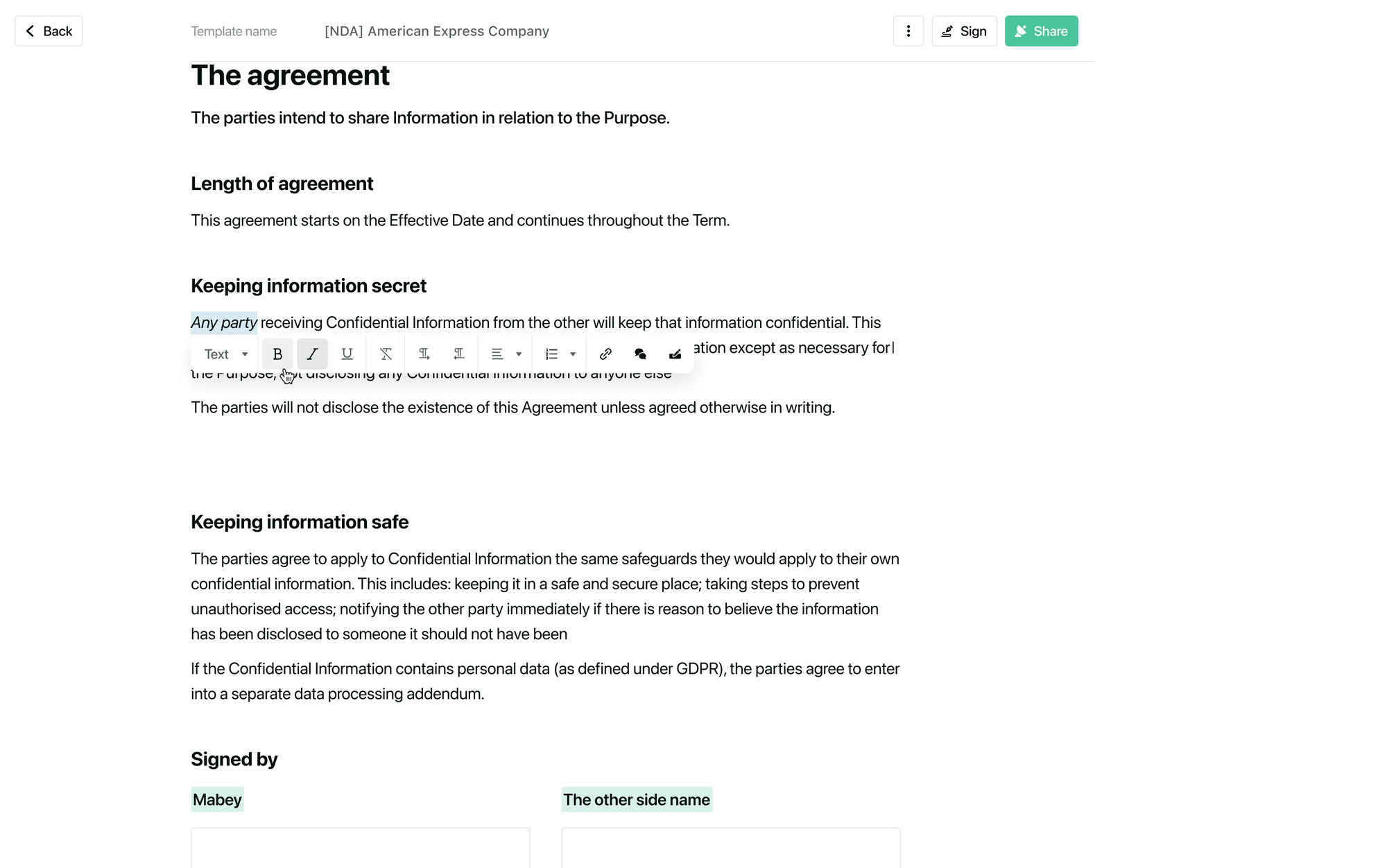
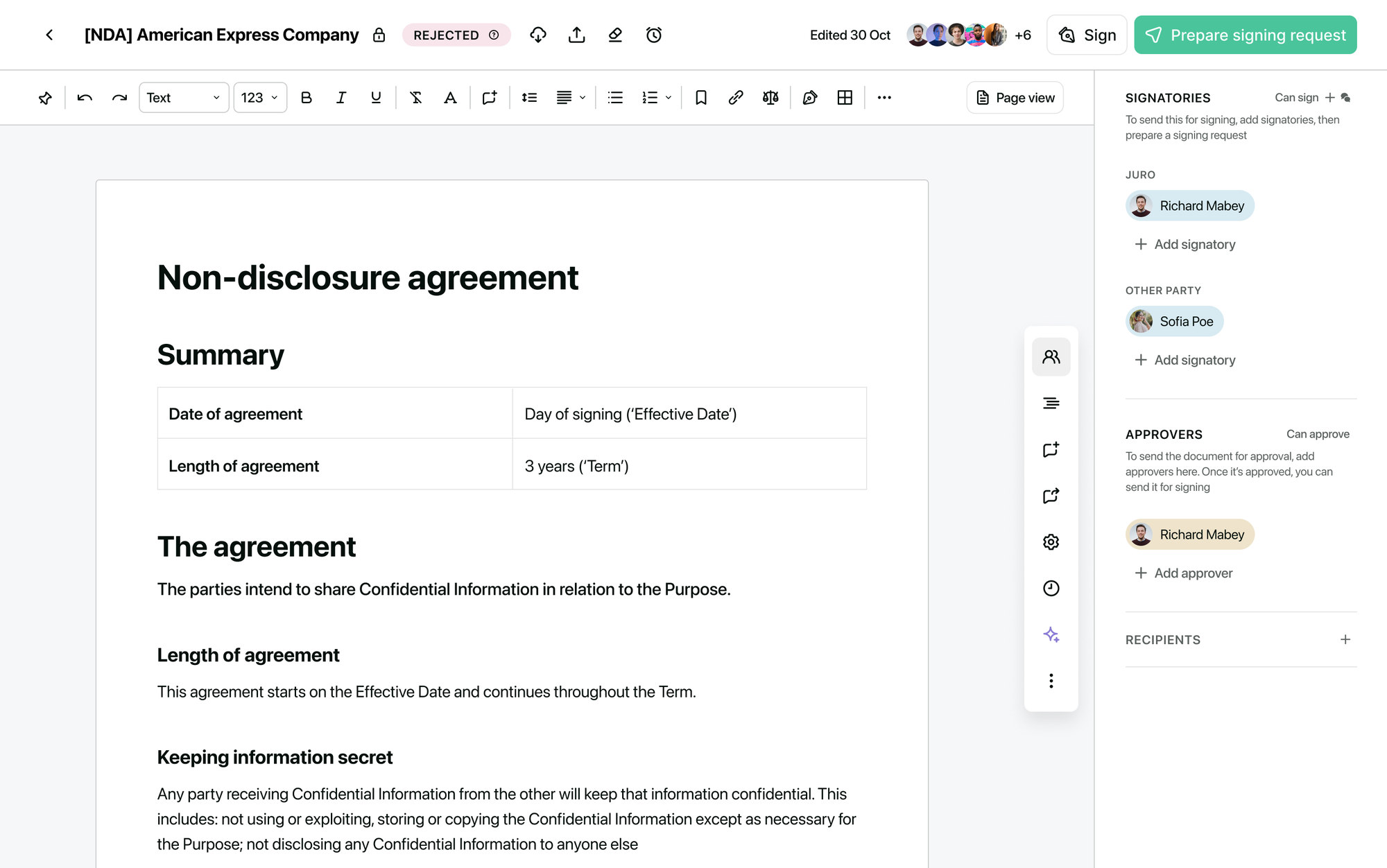 Old editorNew editor
Drag to compare the old and the new editor
01
Problem statement
The old editor forced users to seek additional tools for contract-related tasks.
The problem statement is like the compass that points us in the right direction by highlighting what users struggle with and where the product needs to do better.
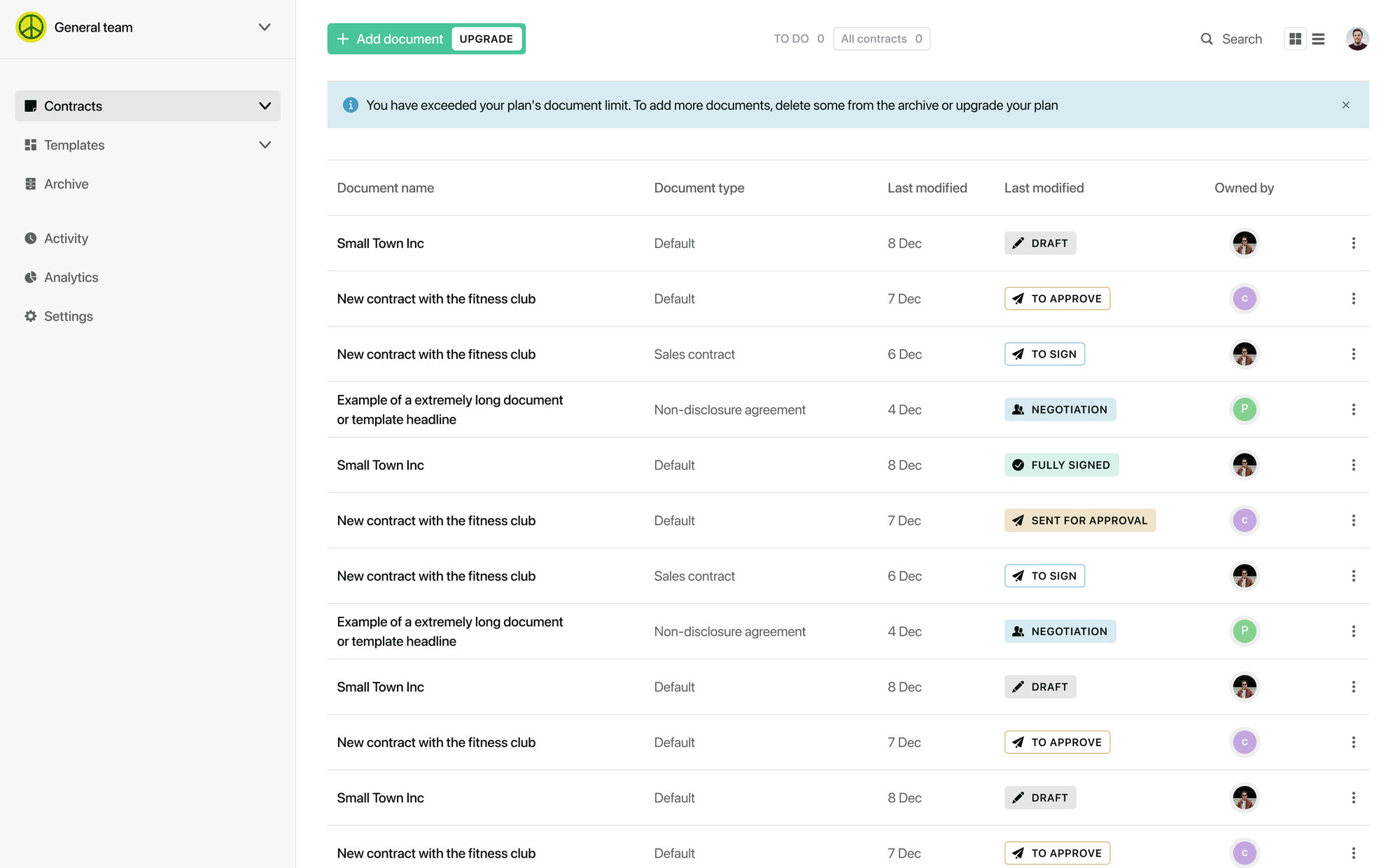
The old text editor in Juro was limited in functionality compared to popular platforms like Microsoft Word and Google Docs, forcing users to seek additional tools for certain contract-related tasks. The limitations of this editor prevented a seamless and efficient workflow for working with contracts, from creation to signing, without the need for external platforms.
02
Feedback and insights
By organizing user feedback into distinct categories, we gained insights that guided our next steps.
Unfamiliar design patterns
I wish the text editor in Juro could allow for more advanced formatting options like Word. It would make the editing process much smoother and familiar.
John Ramirez, Legal Counsel at Foody CorporationVisibility and accessibility of additional features
It would be great if I didn't have to search through multiple menus to find the option to add comments or signatures. Having these functions readily visible would save me a lot of time.
Emily Williams, Sales Coordinator at LoopMore compact header for improved viewing
The header in the text editor takes up too much space, making it difficult to focus on the main text. A more compact design would greatly improve the overall viewing experience.
Daniel Wilson, Legal Coordinator at OPQEasy access to key contract functions
I frequently need to export contracts for further processing, but finding the export option in the current editor is cumbersome. A more accessible export feature would save me valuable time.
Emma Thompson, Sales Analyst at ViragoInstant visibility of essential contract data
It would be incredibly helpful to immediately see the status of a contract as soon as I open the editor. This would allow me to prioritize my tasks more efficiently.
Alexander Harris, Legal Officer at VWX Corporation03
JTBD + Personas
The Jobs-to-be-Done framework emphasizes understanding the job a customer is trying to accomplish, rather than just focusing on their demographics or preferences. Job stories humanize the needs and motivations of users and keep the design process user-centric and outcome-driven.
We paired JTBD with personas, which is an unorthodox combination: JTBD usually sets the persona aside and looks only at the job. Here every set of job stories belongs to a specific person, a head of legal or a sales and HR manager. Personas kept the context of the role, job stories kept the design focused on the outcome. The names below are placeholders, not real people.
Persona 1
Jane Doe, Head Counsel
When I need to draft a new legal agreement from scratch, I want the text editor to provide customizable legal templates and clauses, so that I can expedite the contract creation process while ensuring compliance with legal standards.
When I'm reviewing a lengthy contract with multiple stakeholders' input, I want the text editor to track changes and versions efficiently, so that I can ensure the accuracy and legality of the document during collaborative editing processes.
Persona 2
John Doe, Sales Manager / HR Manager
When I'm sending out sales proposals to potential clients, I want the text editor to provide seamless integration with our CRM system, so that I can easily keep track of communication and follow up on the proposal's progress.
When I'm creating a new employment contract for a new hire, I want the text editor to offer a streamlined way to input specific terms and conditions, so that I can ensure all necessary employment details are accurately captured and legally compliant.
04
Metrics
Quantitative and qualitative metrics are essential for evaluating different aspects of a product. Quantitative metrics provide numerical data, allowing teams to measure specific outcomes and track changes over time. Qualitative metrics offer insights into user perceptions, experiences, and behaviors.
Qualitative targets
- Improved collaboration and communication feedback. Collecting customer feedback to assess improvements in collaboration and communication resulting from the implementation of the text editor.
- Ease of integration with existing workflows. Assessing how seamlessly the text editor integrates with the existing workflow processes of the organization, minimizing disruptions and maximizing productivity.
Quantitative targets
- Percentage of import usage. Share of users importing documents into the updated text editor for editing or updating existing contracts and agreements, relative to the total number of users over a specific period of time.
- Percentage of Word/PDF export usage. Proportion of users exporting created documents from the updated text editor to Word/PDF format for further work or exchange, relative to the total number of users over a specific period of time.
- Feature adoption rate. Percentage of users actively using key features (such as template creation, version control, PDF export) in the text editor compared to the total number of users over a specific period.
- Percentage of documents created from templates. Share of documents that were created based on pre-prepared document templates compared to the overall number of created documents.
05
Design solution
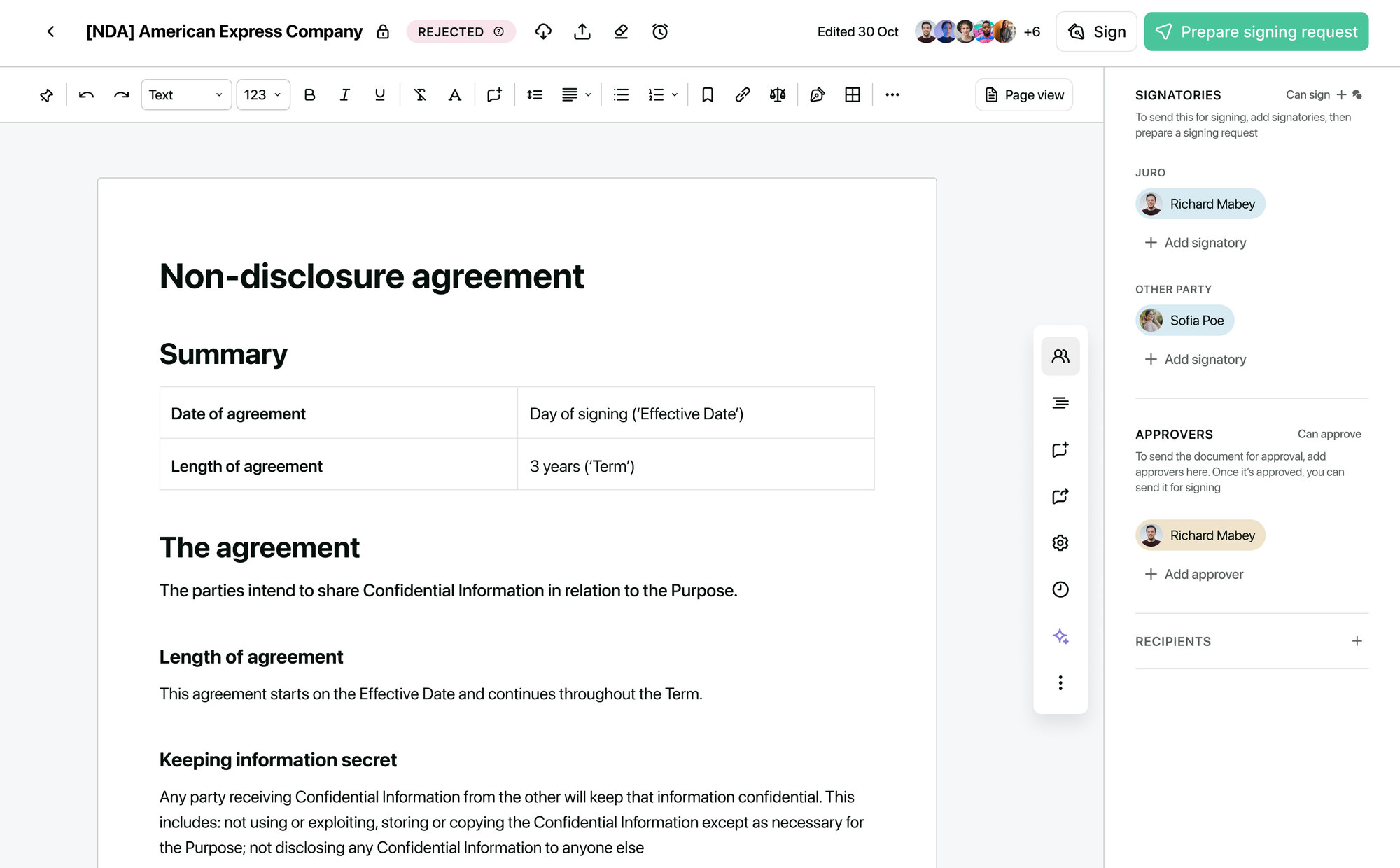
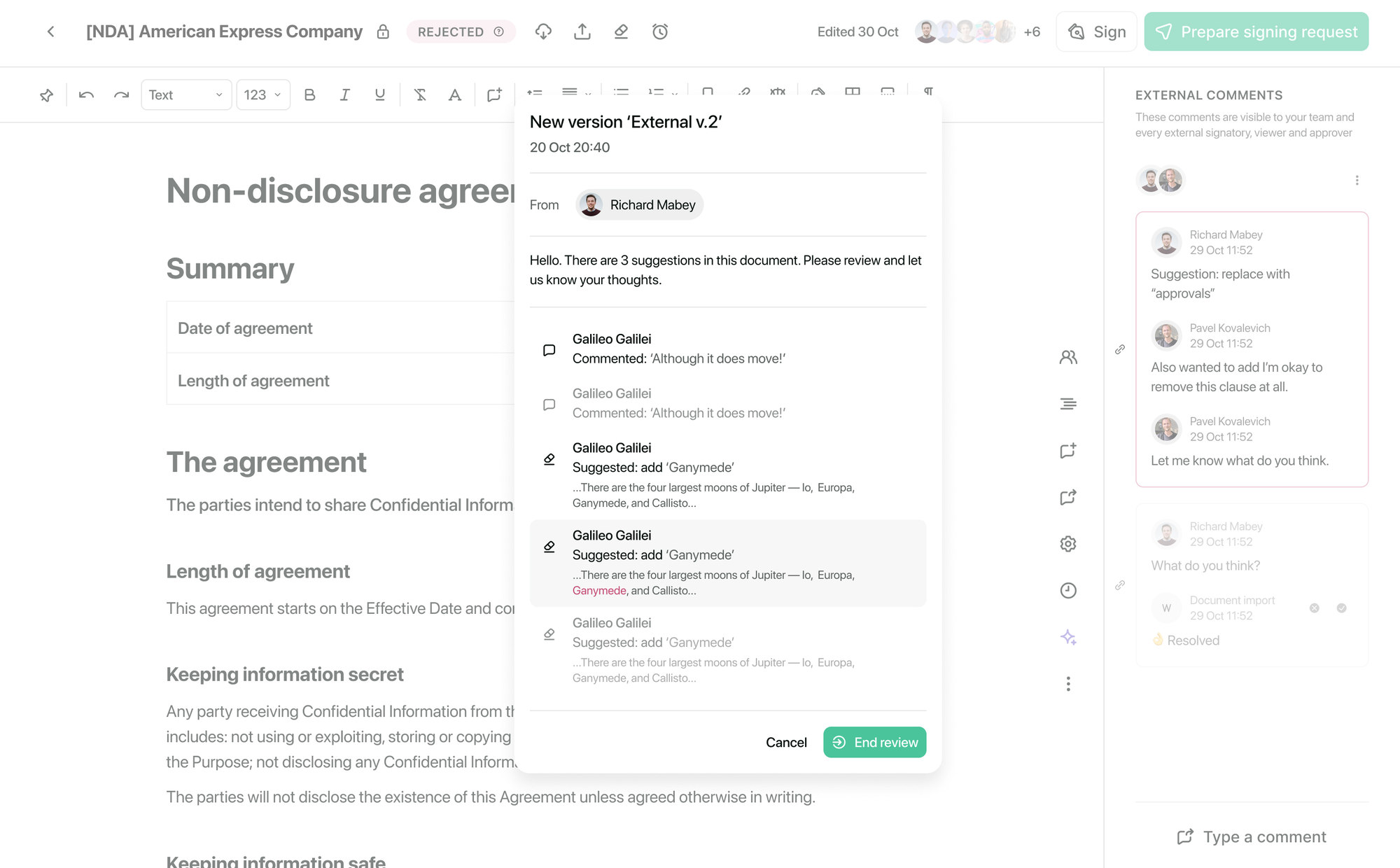
The new editor grew directly out of the five feedback groups. Formatting works the way people know from Word, the header became compact and gives the page back to the text, and the actions people use on every contract, such as comments, signing, versions and export, moved out of nested menus onto the surface.
I worked closely with engineers on editor behaviour and rendering constraints, so the design held up on real, long contracts and not only in mockups. Testing, refinement and metrics verification I am happy to walk through in a call.
06
Checking
This section examines the impact of the design solution by assessing key metrics. It serves as a critical evaluation of how the design improvements affected user engagement and behavior.
Qualitative results
- Customer feedback highlighting improved collaboration and communication as a result of the text editor's implementation, indicating smoother workflows and enhanced teamwork.
- Positive feedback from users regarding the seamless integration of the text editor with existing workflows, leading to reduced disruptions and increased overall productivity within the organization.
Quantitative results
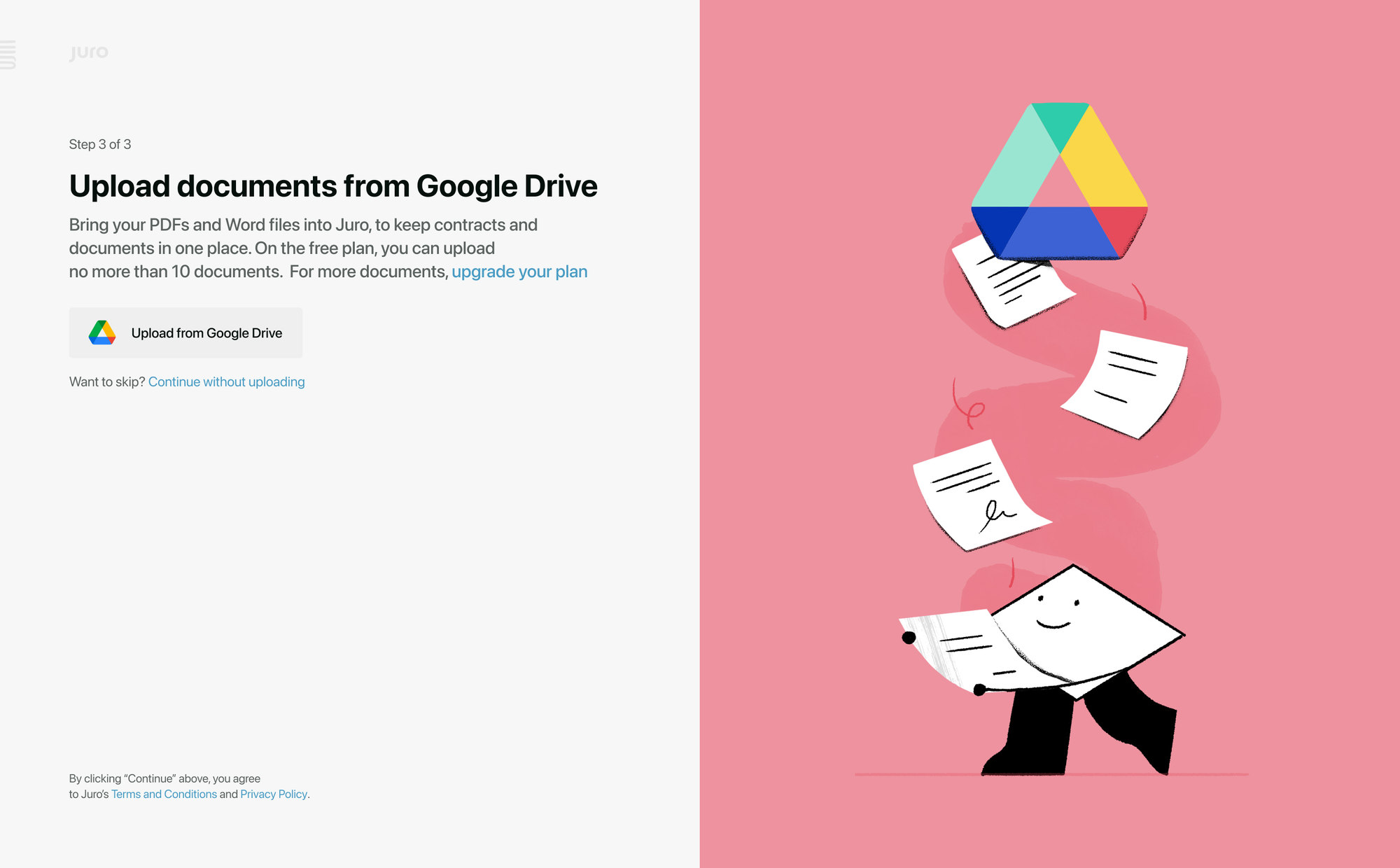
- 29.5% increase in the number of documents imported into the updated text editor over a month.
- 2.5% decrease in users exporting documents to Word/PDF format after the update.
- 19% increase in users actively utilizing key features in the text editor over a specific period, compared to the previous rate.
- 6.6% of documents created based on pre-prepared templates, compared to the previous rate.